
Productivity software options have grown significantly in the past few years. If you are not yet incorporating any of these products into your workflows, it is important to give one a try. This post gives you some hints for choosing the right productivity app(s). The key considerations are: Function – what you need it toContinueContinue reading “Choosing the right productivity software”
Category Archives: How To’s
Hacks for Browsing the Web

Today’s post deals with how you can make the most of your web browser (for most people that will be the market leader Google Chrome). Not something we commonly think about, but it is the window through which we view all pages on the internet, so it is a very heavily used tool in ourContinueContinue reading “Hacks for Browsing the Web”
Hacks for MS Word
In today’s post I share some hacks for using MS Word. I shared this earlier in the year at the NZPI conference, but these hints are worth mentioning again, just in case you weren’t at the conference. Firstly, the biggest impediment to making efficient use of Word is old habits. MS Word doesn’t require you toContinueContinue reading “Hacks for MS Word”
Boost your typing skills

Your typing speed (and accuracy) makes a big difference to your productivity. When was the last time you considered and fine-tuned your typing abilities? There are some great tools online for self-assessment and training, and we check them out in this post. One of the biggest myths is that you can’t improve your typing abilityContinueContinue reading “Boost your typing skills”
Powerpoint Hacks – Easy Ways to Add Images
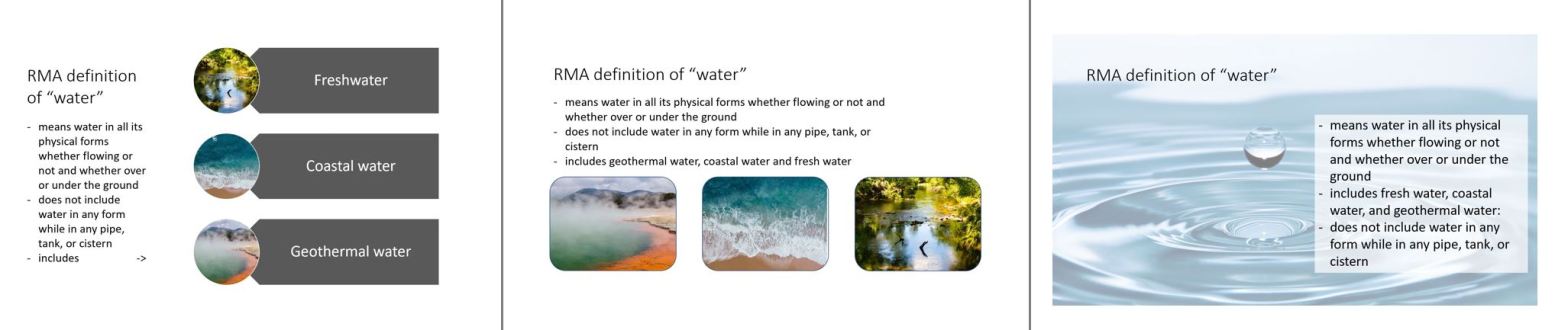
The difference between planners and our colleagues in the design professions is never more evident than when it comes time to give a presentation. Architects and designers have presentations filled with inspiring images, whereas planners tend to … shall we say … over use the text. Adding some images to your presentations is not tooContinueContinue reading “Powerpoint Hacks – Easy Ways to Add Images”
Outlook Hacks – managing the inbox

Too many emails! Don’t waste your valuable attention and focus clearing your inbox. Check out these three hints. Get rid of duplicate emails in a conversation Opt out of conversations you don’t need to be copied in on Get rid of emails only relevant on that day 1. Get rid of duplicate emails in aContinueContinue reading “Outlook Hacks – managing the inbox”
Hacks for Reading Plan Documents

As planners, and other RM professionals, we read a lot of wordy documents online. How can we hack this necessary task to do it faster and/or do it more effectively? Firstly we need to understand what we are trying to gain when we consult one of these planning documents. The options include: discovery – toContinueContinue reading “Hacks for Reading Plan Documents”
How-To June
In June the blog will cover quick tips and tricks for boosting productivity. Let me know some of those little things that bug you about working with your technology, and I will include a solution in one of the posts. Send in your question by email or contact me via twitter or linkedin. What sort ofContinueContinue reading “How-To June”
Our February Newsletter

The theme this month is Your Relationship with your Computer RMA Digital February 2018 Newsletter
Shake up your computer input habits

Today’s blog continues the theme of this month’s newsletter – your relationship with your computer. In this post, I look at what you can do to make it easier for you to communicate with your computer. By communicate I mean how you input your instructions to your computer. Some simple changes can greatly enhance yourContinueContinue reading “Shake up your computer input habits”
 RMA Digital